Channel Wars: When Your Neighbor's Router Becomes Your Worst Enemy
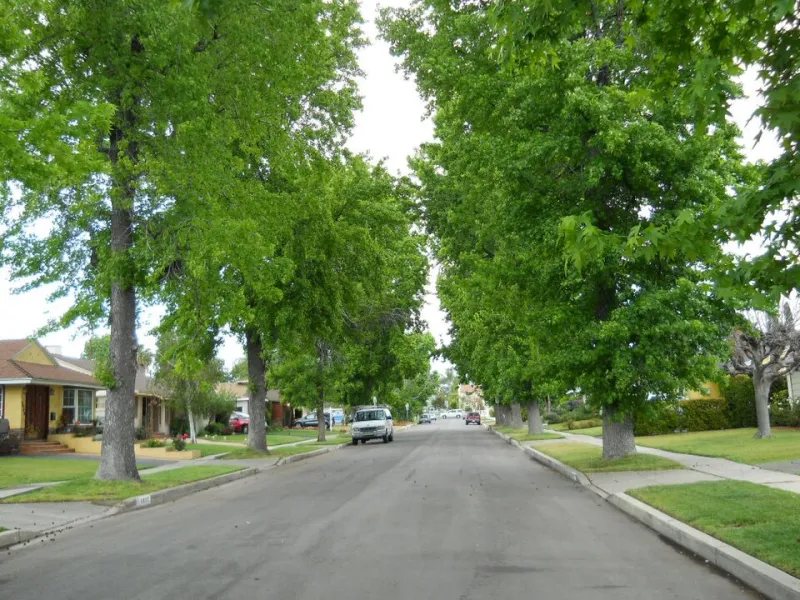
Photo: JGKlein, Public domain, via Wikimedia Commons
Every neighborhood has one. The retiree in the end unit running a mesh system so aggressive it blankets three backyards. The remote worker whose router screams on channel 6 like it's the only frequency that matters. And then there's Dave.
Dave, according to multiple accounts from his subdivision in suburban Ohio, mounted an 8dB directional antenna on his garage, pointed squarely at the townhouse across the street — not to steal internet, mind you, but to "get a better signal in the man cave." The man cave, incidentally, sits roughly forty feet from his neighbor's home office.
"I just wanted low ping for game night," Dave told us. "I didn't realize I'd declared war."
How a Quiet Cul-de-Sac Became a Radio Battlefield
Wi-Fi conflicts don't announce themselves. They start small. Your smart bulbs start acting haunted. Your video calls drop at exactly 7:30 p.m., when the whole street gets home and powers on. Then someone downloads a Wi-Fi analyzer app "just to check," sees a wall of overlapping networks stacked on channel 6, and suddenly they're knocking on doors with screenshots.
We heard variations of this story from hobbyists across the country. A community manager in a Florida 55-plus community told us she's mediated three separate disputes over mesh node placement — one of which escalated to a formal complaint at the HOA meeting, complete with a laminated diagram of the cul-de-sac's RF "dead zone situation."
"People treat their Wi-Fi like it's their property line," she said. "Except the property line goes right through the neighbor's living room. Radio waves don't respect fences."
That's the part most folks never think about: your network doesn't stop at your lot. A typical consumer router punches through drywall, siding, and goodwill with equal ease. In dense apartment complexes and newer subdivisions packed with smart doorbells, streaming sticks, and baby monitors, the 2.4GHz band in particular has become a standing-room-only concert where everyone brought their own speaker.
The Antenna Guy Problem
Most feuds are accidental. But hobbyists admit there's a subset of enthusiasts — often home lab folks — who optimize first and ask questions never.
"High-gain antennas are great until your neighbor's access point is blasting through your nursery at full power," says one IT admin who runs a home lab in his Denver garage. His solution was diplomatic: he knocked on the door, showed the guy a heat map of the overlap, and they split the channel plan over a six-pack.
Not everyone gets the six-pack ending. Online forums are full of threads where the escalation ladder looks like this: analyzer app, passive-aggressive network rename ("CANT_STOP_THE_SIGNAL" is apparently a classic), a strongly worded email, and finally, the HOA board meeting where someone proposes an unenforceable "Wi-Fi ordinance."
Which, for the record, HOAs cannot enforce. The FCC explicitly protects your right to operate Wi-Fi equipment on unlicensed spectrum. No board can fine you for channel selection. They can, however, spend forty minutes of a Tuesday meeting arguing about it — which, sources tell us, happens more than anyone wants to admit.
The Peace Treaty: A Field Guide to Spectrum Coexistence
The good news: nearly every neighborhood network conflict is solvable in an afternoon, no lawyers required. Here's the truce framework the hobbyists we spoke to recommended.
1. Run the numbers before you run your mouth. Download a free Wi-Fi analyzer app and take an honest look. If your network and your neighbor's are both sitting on channel 6, one of you should move — and it costs nothing. On 2.4GHz, stick to channels 1, 6, or 11, and pick whichever is emptiest.
2. Embrace the 5GHz (and 6GHz) exit ramp. Most modern gear can hop to 5GHz, where there's far more room and far fewer legacy devices. If your router and devices support Wi-Fi 6E or 7, the 6GHz band is practically a gated community.
3. Turn down the volume. Auto power settings often blast at maximum when medium would do. A router dialed back to cover your home — not the block — actually improves performance for everyone, including you.
4. Talk to the antenna guy. Seriously. Nine times out of ten, the person with the directional setup has no idea it's bleeding into anyone's space. A friendly heads-up plus a small adjustment usually ends it.
5. Name networks like an adult. Nobody needs to see "FBI_SURVEILLANCE_VAN_3" in a building full of retirees, and passive-aggressive SSIDs have started more feuds than they've ended.
6. Escalate to the mesh, not the board. If a whole complex is congested, some communities have had luck organizing — a shared channel plan, or even a bulk deal on one mesh ecosystem so the nodes coordinate instead of fight.
Radio Waves Don't Respect Fences
The deeper lesson from all these feuds is that Wi-Fi is one of the last truly shared resources in American life — a commons you can't see, can't fence, and can't opt out of. The neighbors who get along aren't the ones with the biggest antennas. They're the ones who treat the spectrum like a neighborhood, not a frontier.
Dave, for what it's worth, re-aimed the antenna. He and the neighbor with the home office now share a channel plan and, occasionally, a grill.
"Turns out the best network optimization," he told us, "was just walking next door."